Select your region
Find your lake, bay, harbor, island, or coastline. Frame the exact area you want mapped and choose your board dimensions.
 A Gomadic Company
EARLY ACCESS / YOUR FEEDBACK MAKES IT BETTER
Our free feedback trial runs through October 31, 2026, Eastern Time. Finish exporting before midnight as November 1 begins. A verified account and a short survey are required for each new map. Saved downloads remain available afterward.

Custom layered nautical map files for your laser
Go from a favorite place to custom layered nautical map files in minutes. Select your region, fine-tune your map, and export for your laser—with a full-color preview before you download.
FROM IDEA TO FILES
One browser-based workflow takes you from choosing a place to downloading the layers for your own build.
Find your lake, bay, harbor, island, or coastline. Frame the exact area you want mapped and choose your board dimensions.
Make the details yours: depth layers, roads, labels, and personal landmarks. Inspect each layer and preview the assembled map in full color.
Choose your formats, dimensions, line colors, and weights. Generate and download aligned cut and engraving files, ready for your laser software.
Explore locations worldwide. Shoreline detail and available depth data vary by location.
SELECT. CUSTOMIZE. EXPORT.
Follow a map through the real designer—from choosing the region to previewing the design and downloading the files. No guesswork about what happens next.
Make your first map →Real app footage · Sped up, with processing waits removed
STEP 2 / CUSTOMIZE WITH CONFIDENCE
Preview the simulated assembled map in full color before you export. Explore the individual layers, refine the details, and see how your design comes together before committing material to the laser.
One land layer. Five aligned water layers. Your choice of details.
Design and preview your map →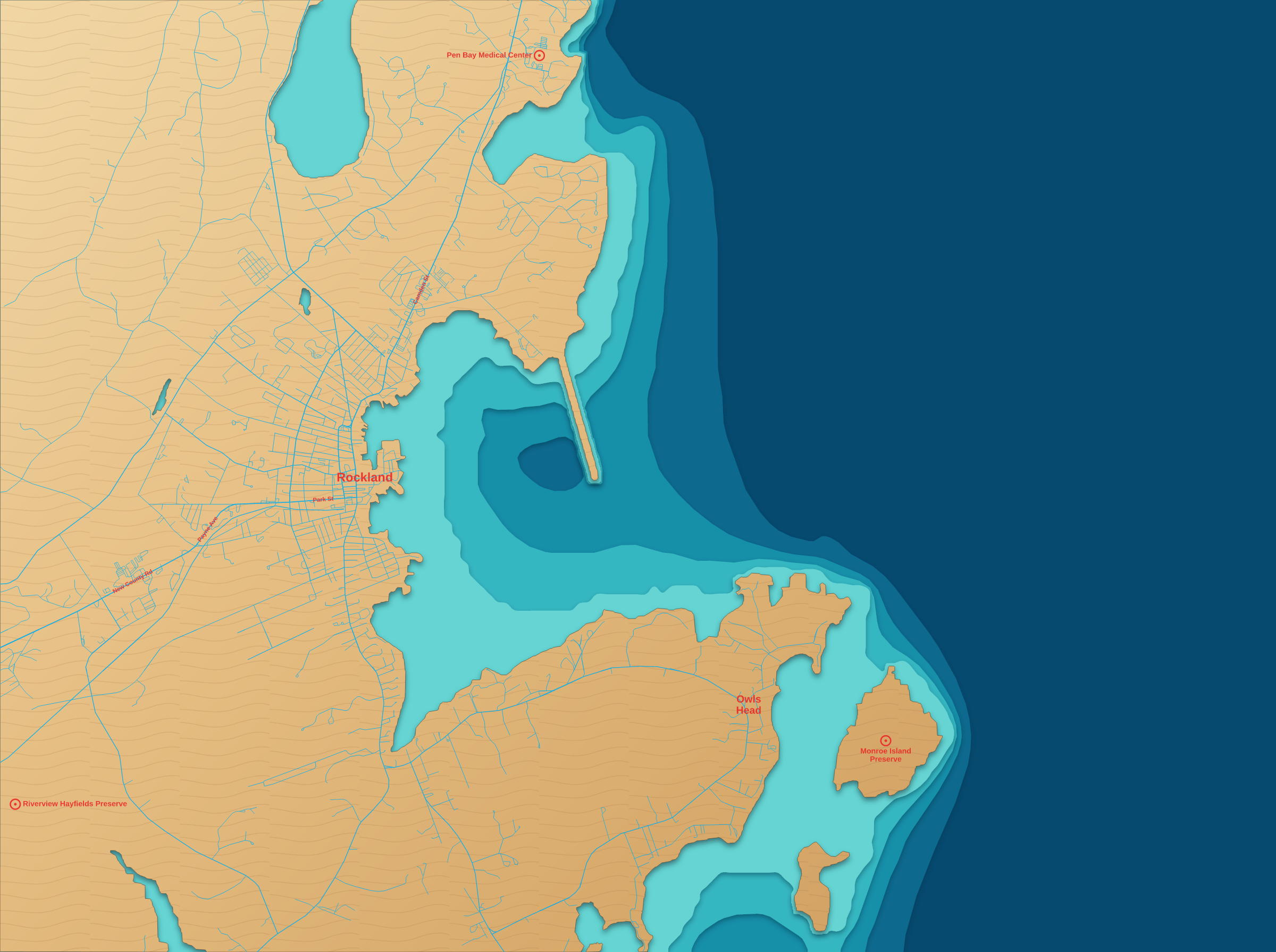
Search for a location and set the boundaries yourself. Capture an entire island, a stretch of coast, or a favorite harbor. Set your board dimensions in millimeters or inches.
Add personal landmarks with icons and captions. Choose how much road detail, place labeling, and points of interest to show. Add a title, coordinates, or a compass rose where space allows.
Explore the assembled map in full color or inspect individual layers. Artwork and label edits update quickly; apply depth and geometry changes together when you’re ready to recalculate.
Adjust the minimum island size to remove tiny pieces. Refine depth layers and shoreline detail for the scale of your build, with a preview to help you judge the result.
STEP 3 / EXPORT FOR YOUR LASER
Generate the files on the spot in the formats your laser software accepts: SVG, DXF, or EPS for vector work, and PNG or JPG for raster output. Tailor colors and line widths for cutting, vector etching, and raster engraving before you download.
Choose power and speed in your laser software and test with your own material.
Create your first mapExplore an example export: six aligned layers, the full-color preview, and the assembly diagram.
FREE AUTONESTING · INCLUDED WITH EVERY MAP
Let your map arrange itself on your wood sheets. Autonesting finds room for the pieces, so you can spend less time moving shapes around and more time making the finished map.
Less manual layout. Less wasted wood. Less hands-on preparation for every build—with no extra charge.
Make a map with free Autonesting1 completed map

6 map layers


2 wood sheets All 36 pieces included


Same map. Same size. Ready to cut.
The assembled preview, six layers, and nested sheets all show the same map. Colors identify the layers; engraving is hidden for clarity. Actual cut outlines from an Autonesting export. This example uses a 0.08-inch piece gap and 0.12-inch edge margin. Sheet count and material savings vary with your map, sheet size, and settings.
Choose your wood dimensions, piece spacing, and edge margin. Allow rotation, or keep the original orientation for your grain direction.
Autonesting arranges pieces across layers while keeping their original scale and artwork together. Reduce repetitive layout work and hands-on labor.
Preview the arrangement, then get nested sheet SVGs and a piece guide in your download. Your individual layer files are included too.
FROM THE WORKBENCH
A selection of past map-making projects. Inspiration for the places, colors, and finishes you could explore in your own build.
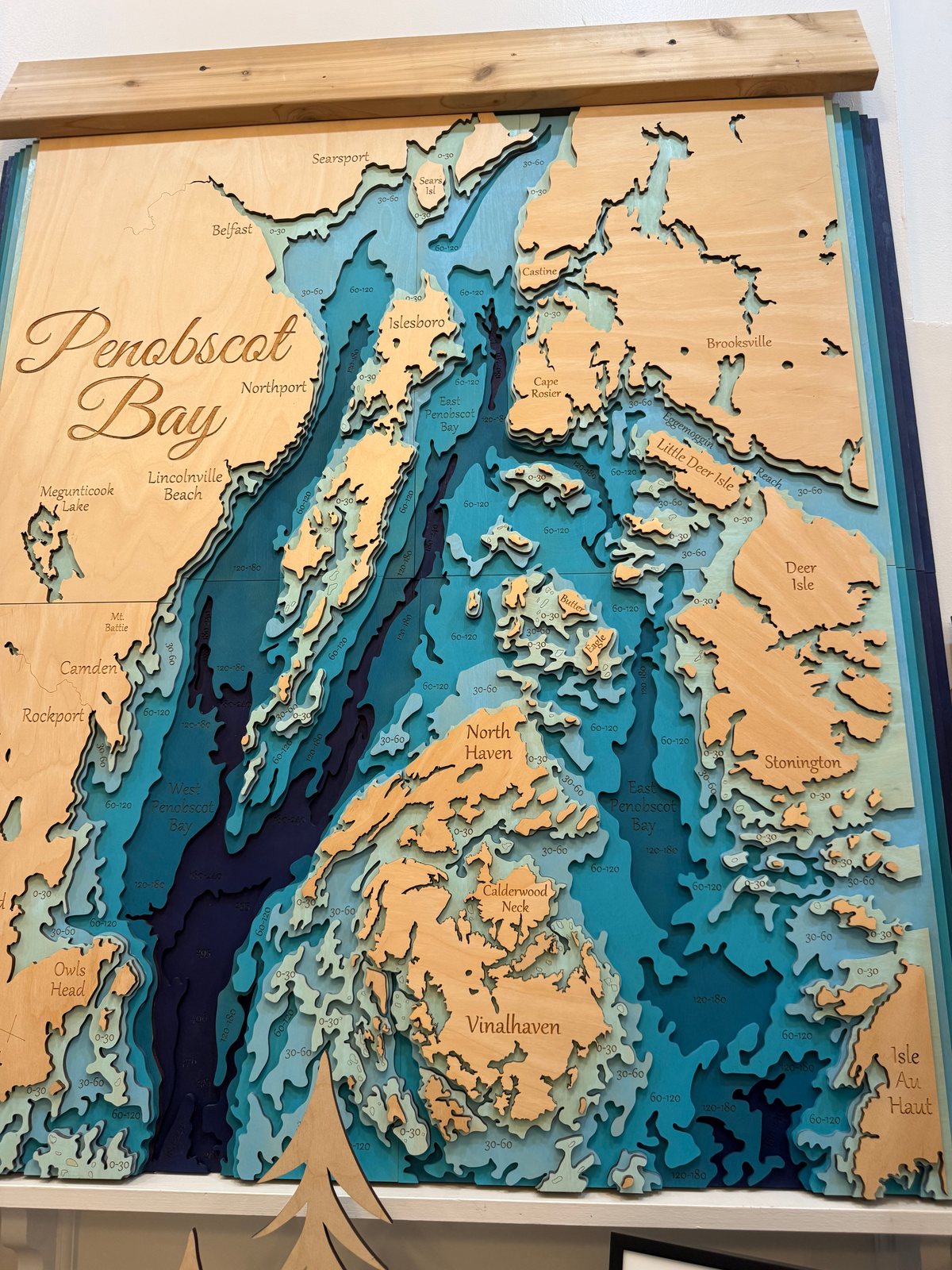
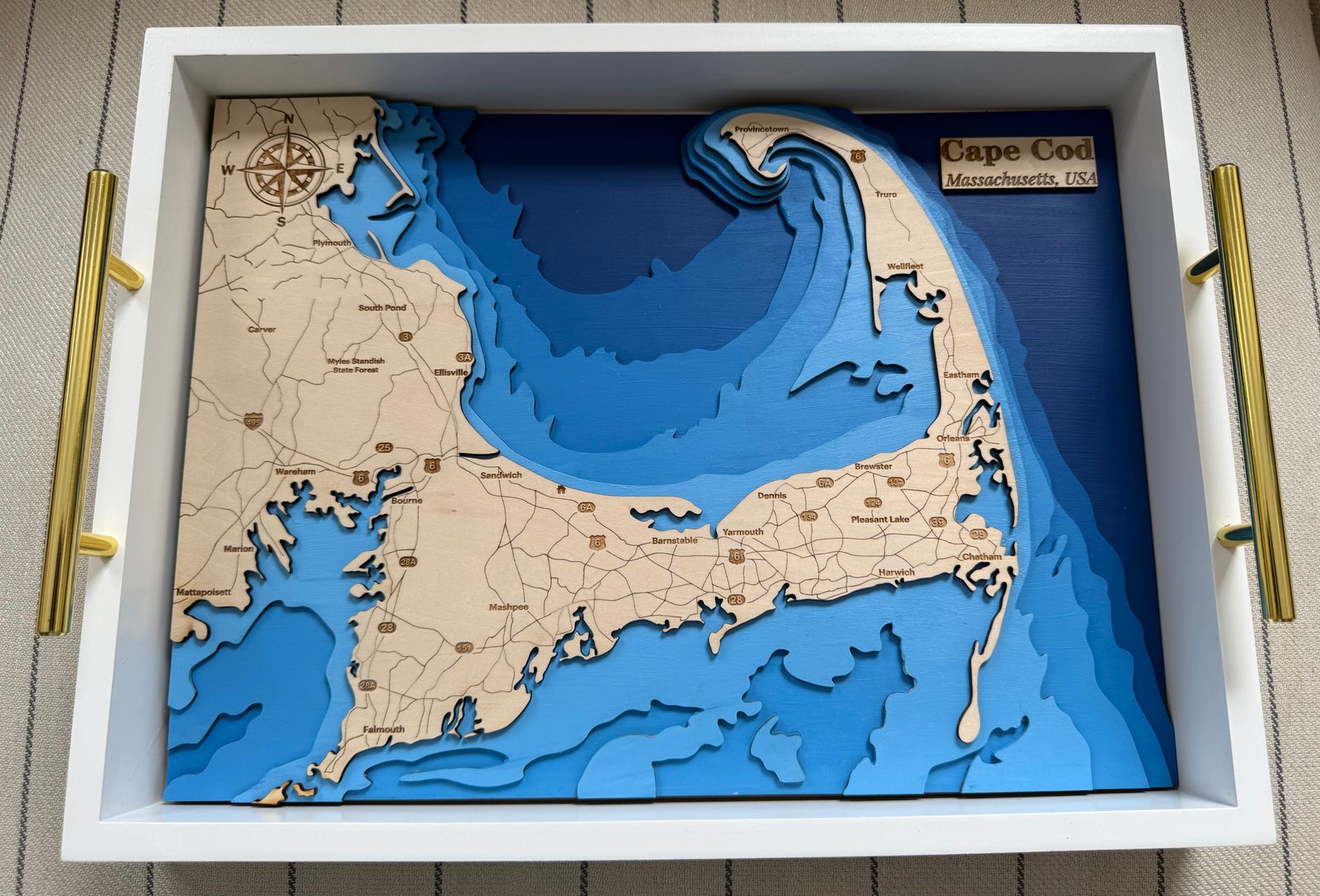
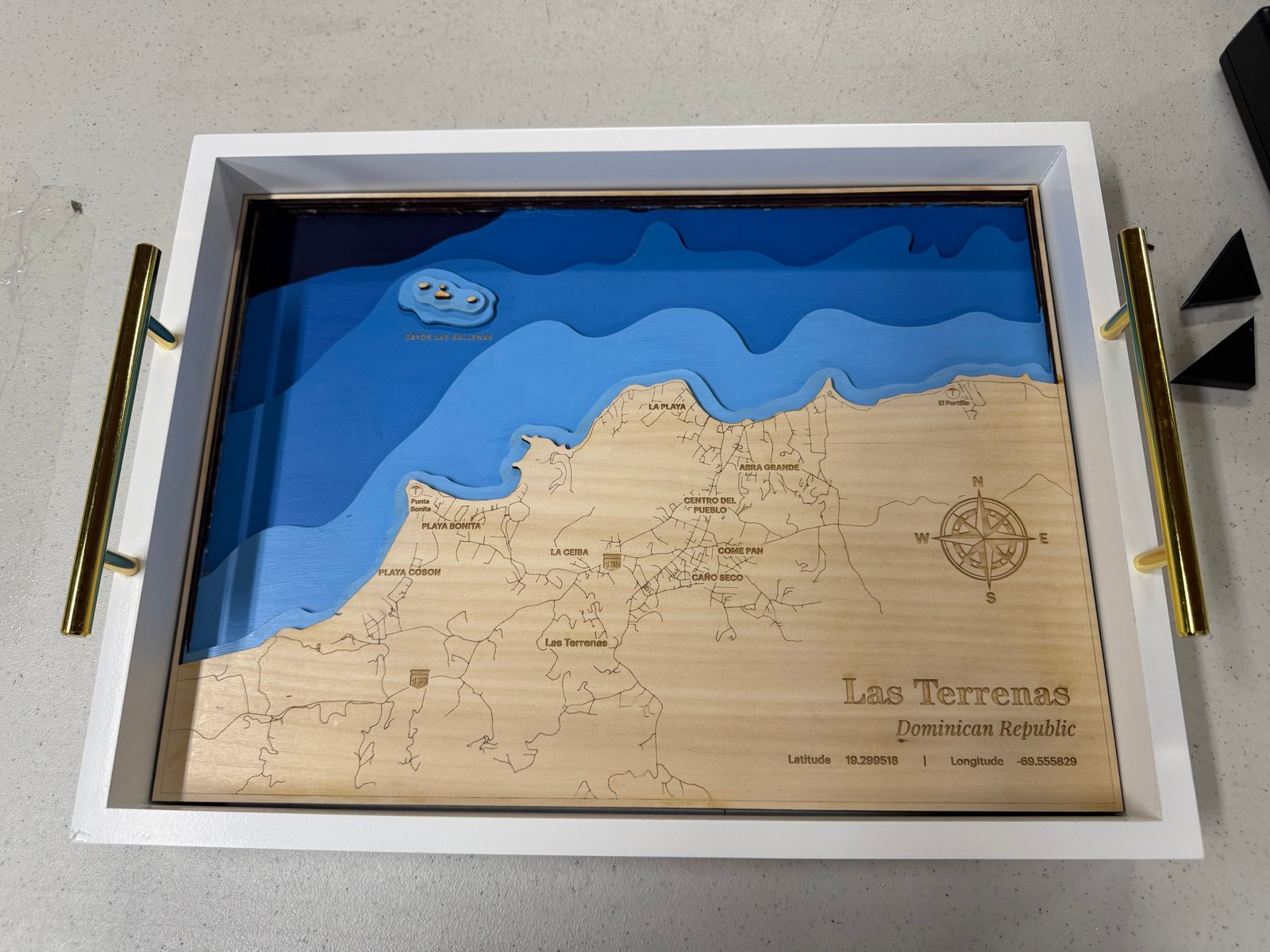
Your choice of materials, paint, and assembly gives each finished map its own character.
ONE MAP. ONE FLAT FEE.
Turn a place you love into a map that’s entirely yours. Every map includes the complete six-layer design, all supported export formats, and as many personal landmarks as you want.
No subscription. No setup fees. No upfront cost to design and preview. Planned price after early access: $9.95 per map. Paid checkout will be announced separately.
Start designing for freeEarly access bonus: Your first five maps are free through October 31, 2026, Eastern Time, with a verified account and a short feedback survey before each new map’s first download. Finish exporting before November 1 begins; saved downloads remain available afterward.
THE COMPLETE MAP PACKAGE
A different location or an expanded map area is a new map. Digital files only; materials and laser cutting are supplied by you.
YOUR OWN MAP LIBRARY
Save projects and versions to your account. Return in another session to continue refining a design, or revisit an earlier version.
Keep completed exports in your account’s download library and download your saved map files as often as you need, without rebuilding the map. Account storage limits apply.
Create your account →BEFORE YOU BEGIN
Follow three steps in your browser: select the region you want mapped, fine-tune the design and preview the assembled map, then choose your export formats and laser-file specifications. Download the generated layers and import them into your laser software.
A straightforward design can come together in minutes. The time depends on your selected area, available geographic data, processing, and how much you customize. The walkthrough is accelerated and removes processing waits; it is a demonstration of the steps, not a real-time speed guarantee.
Yes. Inspect the individual layers and view a full-color simulation of the assembled map. You can refine the design before exporting. Your chosen materials, thicknesses, colors, and finishing will determine how the physical map looks.
Yes. You can search and frame locations worldwide. Available shoreline detail and water-depth data vary by location, so review your generated preview before planning a build.
This is a map-design and file-export service. You download digital layers to cut, engrave, paint, and assemble using your own tools and materials.
Yes. Search for an address or place, then add a personal landmark with an icon and optional caption. Add as many personal landmarks as you want at no extra charge. Placement depends on the available space on your map.
Choose from SVG, DXF, EPS, PNG, and JPG exports to match the formats your software accepts. Adjust operation colors, line widths, and output dimensions, then set cutting and engraving parameters in your laser software.
Autonesting automatically arranges your map’s pieces on the wood sheet dimensions you choose, with your specified spacing and edge margins. It can reduce manual layout work and wasted material. The feature is included at no extra charge with every map. Your download includes nested sheet SVGs, a piece guide, and the original individual layers. The number of sheets depends on your map and settings; two sheets is the illustrated example, not a promise for every design.
No. The complete package is a flat $9.95 USD per map, with no subscription, setup fees, or per-landmark charges. Designing and previewing are free. During early access, your first five maps are free through October 31, 2026, Eastern Time, with a verified account and a short feedback survey before each new map’s first download. Free exports end automatically at midnight as November 1 begins. Saved downloads remain available afterward. You will not be charged automatically.
Minor refinements and re-generations are included within your map’s original geographic boundaries. Adjust labels, landmarks, artwork, and other small details without purchasing the same area again. A different location or an expanded map area is a new map.
Yes. Save a project to your account to reopen its settings, or download a saved export from your library. Downloads of your saved map files are unlimited. A saved project can be regenerated; a saved export is the file package you already built.
PLAN YOUR BUILD
Explore file formats, depth data, and the steps for making a layered wooden map.
Design a layered nautical map SVG for your own shoreline. Personalize six aligned layers and export digital cut and etch files for your laser.
Turn available water-depth data into layered map designs. Learn how bathymetric contours, board size, and previews shape files for laser cutting.
Compare vector and raster map exports: SVG, DXF, EPS, PNG, and JPG. Keep layers aligned and configure cut and engraving operations for your laser.
Plan, design, export, cut, and assemble a layered wooden nautical map using custom digital files and your own laser, materials, and finishing choices.
Understand the Mapbox, GMRT, and OpenStreetMap data behind your layered map, where depth coverage varies, and what to review before laser cutting.
3D Nautical Maps is an online design and file-export service for makers who want to laser cut and engrave their own custom layered nautical maps.
YOUR NEXT MAP STARTS WITH AN IDEA.
Bring your favorite place. Leave with custom layered map files for your laser. Free registration, no monthly subscription, and a preview before you export.
Start your map